
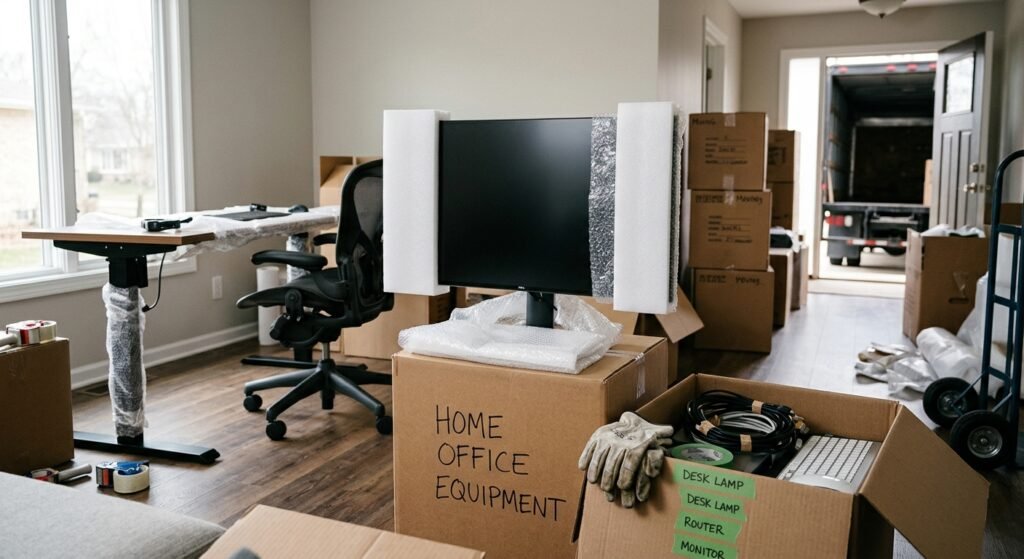
My desk, my monitor, and three years of cable management chaos — that’s what I was staring at the week before my own local move. Home offices complicate a move in ways a bedroom or kitchen never does, mostly because the stuff inside them is expensive, sensitive, and tangled together in ways you forget about until moving day.
A laptop goes in a bag. A full WFH setup with a monitor arm, a shredder, a UPS battery backup, and a filing cabinet full of paperwork does not. Skokie residents working from home face a tighter timeline too, since income doesn’t pause for a move the way it might during a vacation.
I’ll walk through what makes a home office move different, how to pack the gear properly, which items movers won’t transport, and how to get your desk back up and running fast on the other end.
What Makes a Home Office Move Different From a Regular Local Move
A home office isn’t just more stuff. It’s a concentration of fragile electronics, loose cables, and small components that all need to function together again within days, not weeks.
Movers treat a home office section of a house differently than a living room. The value density is higher, the items are more fragile, and the setup time on the other end actually costs someone money if it’s delayed.
Electronics, Cables, and Monitor Setups
A monitor is a fragile, flat-screen item that needs vertical transport and padded protection to avoid cracked panels. I treat every monitor like a piece of glass, because functionally, it is one.
Cables get lost more than any other home office item. Bundling them by device and labeling each bundle saves an hour of frustration during setup.
Desks, Chairs, and Ergonomic Equipment
Standing desks and ergonomic chairs are heavier and more awkward than standard furniture, and many require partial disassembly. A motorized standing desk, for example, often needs its legs detached and its cables disconnected before it’s safe to move.
Office chairs with pneumatic lift mechanisms travel better upright than on their side. That small detail keeps the gas cylinder from shifting and causing the chair to sit unevenly later.
How to Pack a Home Office for a Local Move in Skokie, IL
Packing a home office starts with separating what’s irreplaceable from what’s just inconvenient to lose. Data and documents fall into the first category. Cables and accessories fall into the second.
I pack electronics last and unpack them first — that single rule prevents more home office headaches than any other packing habit.
Backing Up Data Before Moving Day
A hard drive is a storage device that holds data and can fail from impact, vibration, or temperature extremes during transport. Backing up critical files to a cloud service or external drive before moving day removes the single biggest risk in a home office move.
I run a backup the night before, not the morning of. That gives me a buffer if something goes wrong with the sync.
Labeling Cords and Peripheral Devices
Every cord gets a piece of tape with the device name written on it. It sounds excessive until the move is done and every cable looks identical.
I also photograph the back of my computer tower before disconnecting anything. That photo becomes the map for reconnecting everything exactly as it was.
Items Movers Can’t Transport From Your Home Office
Certain home office items fall outside what moving companies are legally allowed to transport, and this catches people off guard more than any other part of the process. The Federal Motor Carrier Safety Administration maintains guidance on hazardous materials that household movers cannot load onto their trucks.
Printer ink and toner cartridges are often fine, but certain adhesives, cleaning solvents, and compressed air dusters used for keyboard cleaning fall under hazardous materials restrictions. I always ask my moving company for their specific prohibited items list, since policies vary slightly between carriers.
Batteries, Chemicals, and Hazardous Supplies
Lithium-ion batteries in UPS backup units and laptop battery packs are flammable under certain damage conditions, which is why many movers restrict how they’re packed or ask that they travel separately. A UPS battery backup unit is an electrical device that stores power and carries lithium-ion cells that generate heat under physical stress.
I transport loose batteries and chemical cleaners in my own vehicle rather than on the moving truck. It’s a five-minute inconvenience that avoids a real safety issue.
Setting Up Your Work-From-Home Office at the New Address
Getting back to productive work fast depends on sequencing, not speed. The order you unpack in matters more than how quickly you unpack.
I set up power and internet access before I touch a single box of files. Everything else waits on that foundation.
Planning Internet and Utility Timing Around Moving Day
Internet installation appointments in Skokie often require scheduling a week or more in advance, so I book that appointment the same day I confirm my moving date. A gap of even two or three days without internet turns into missed client calls and stalled project work.
I also test the Wi-Fi signal strength in the new office location before moving day, since a basement or far corner room sometimes needs a mesh extender. That’s a cheap fix to plan for ahead of time instead of discovering it mid-crisis.
Avoiding Downtime When You Work From Home During a Move
Clients and employers don’t pause their expectations because boxes are everywhere. Protecting a few productive hours during the move window keeps income steady and stress lower.
I treat my moving week like a reduced-capacity work week rather than a full vacation. That mental shift changes how I schedule everything around it.
Scheduling Your Move Around Work Deadlines
A Tuesday or Wednesday move, rather than a Friday, gives a buffer of a few workdays to resolve setup issues before a weekend without support. I avoid scheduling any move during a week with a major deadline or client presentation.
I also keep a “go bag” with my laptop, charger, and one monitor so I can work from a coffee shop or borrowed desk if setup runs long. That backup plan has saved more than one work week for me.
Conclusion
A home office move comes down to protecting fragile electronics, backing up critical data, and knowing which items movers won’t transport before packing day arrives. Planning the setup sequence at the new address keeps work interruptions short and manageable.
We’ve helped Skokie homeowners and remote workers relocate their offices without losing a workday in the process. Reach out to ASHER MOVERS LOCAL & LONG DISTANCE to plan a local move that keeps your home office running on schedule.
Frequently Asked Questions
Can movers transport my computer and monitor?
Yes, movers transport computers and monitors, though many companies prefer customers pack and carry the tower themselves for extra security. I always ask my moving company about their electronics handling policy before packing day.
What items can’t movers take from a home office?
Movers typically won’t transport flammable chemicals, aerosol cleaners, and certain loose lithium battery packs due to hazardous materials restrictions. I pack those items separately and transport them in my own vehicle.
How do I pack cables so I don’t lose them?
I bundle cables by the device they belong to and label each bundle with tape before disconnecting anything. Photographing the back of equipment first also helps me reconnect everything correctly.
Should I back up my data before a move?
Yes, backing up data before a move protects against loss from drops, vibration, or temperature changes during transport. I run my backup the night before moving day rather than waiting until the morning.
How early should I schedule internet installation after moving?
I schedule internet installation the same day I confirm my moving date, since appointments in Skokie often book out a week or more in advance. This prevents a multi-day work gap at the new address.
What’s the best day of the week to schedule a home office move?
A Tuesday or Wednesday move gives a few workdays of buffer to resolve any setup issues before the weekend. I avoid moving during weeks with major work deadlines whenever possible.
